Building a digital bookshelf
I love keeping the best books I’ve read on a bookshelf; occasionally I'll catch a glimpse of a book, and it reminds me of what I learned from it.
Yet, my bookshelf hasn't grown much lately because I mostly read digital books nowadays.
To recapture that subtle magic, I built a digital bookshelf: a place to display the best books I've read, regardless of their format.
Check it out: bookshelf.brandonbellero.com, Code: bb220/bookshelf
I wrote this small post to describe my experience building it.
The concept
At first, I wanted one page to display the best books I read last year.
I pictured a minimal interface: big and bold text to display the year, prominent images of the covers, and a link to a listing. The books would be the focus, and I wanted minimal distractions in the interface.
Preparing the data
To start, I gave claude a list of the books: titles and authors. I asked it to find a url for a listing of each book, a url for a cover image, and to format it in json.
Output:
[
  {
    title: "The Hard Thing About Hard Things",
    author: "Ben Horowitz",
    url: "https://a16z.com/books/the-hard-thing-about-hard-things/",
    cover_image_url: "https://m.media-amazon.com/images/I/810u9MkT3SL._SY522_.jpg",
  },
  ...
]
Designing the frontend
Then, I jumped into vercel’s v0 to start experimenting with a design. It’s one of my favorite places to start when it comes to web frontends. Out-of-the-box, its outputs look consistently better than other coding agents. Plus, it’s easy to use and their infrastructure integrations are seamless (one-click push to github and deploy to vercel).
Within a couple of prompts, v0 generated a simple page with the general aesthetic I was looking for. I dropped in my book data and fired off another prompt. I kept it simple with the data in a file and had my first protoype with the data.
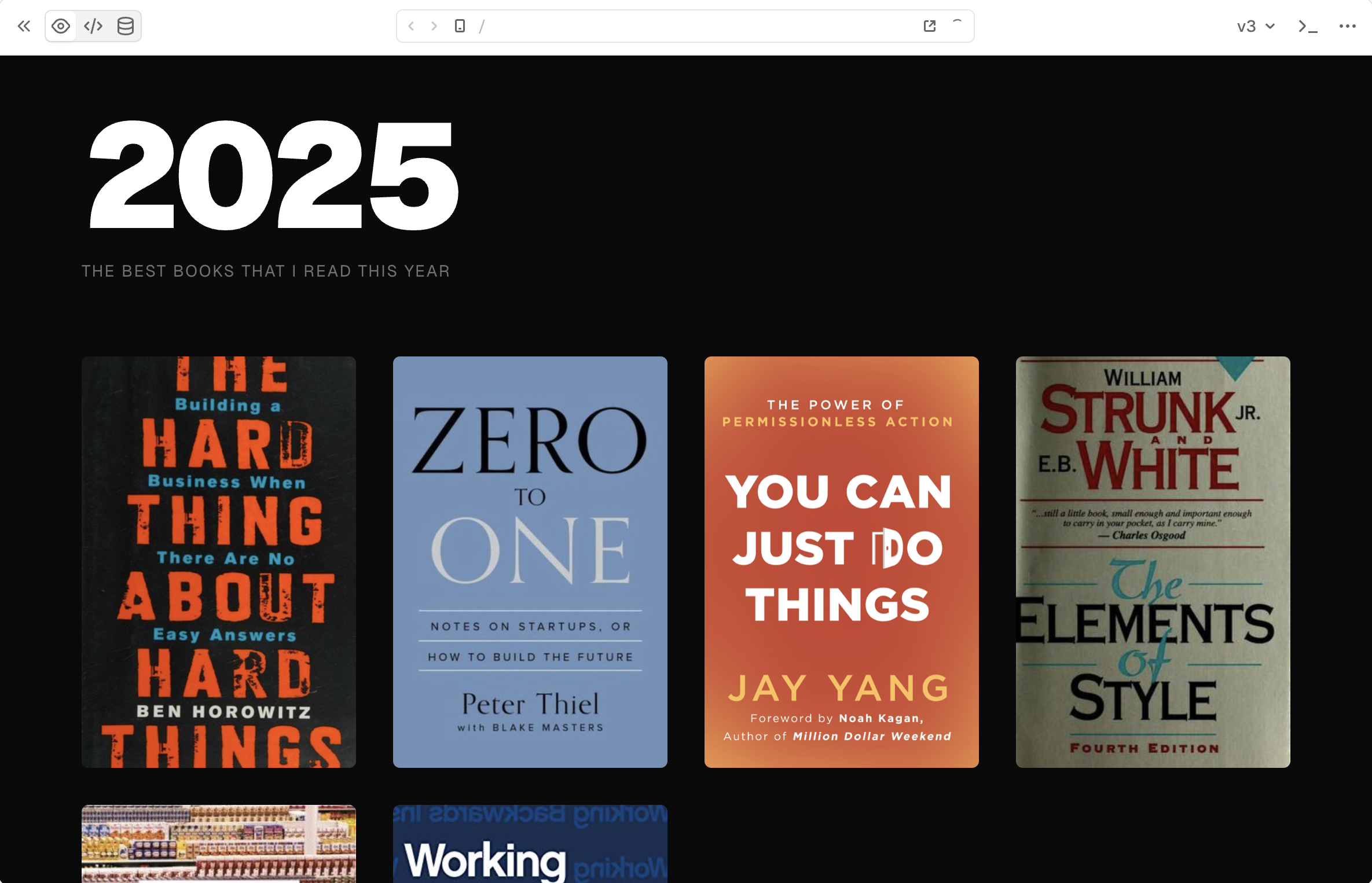 first prototype
Next, I prepared the data for additional years and prompted v0 to spin up a landing page to display a bird's eye across all years. Each year page is accessible at a /<year> path, so it's easy to share a direct link. My friends and I often talk about what we've been reading, so these pages will be a fun to share with them moving forward.
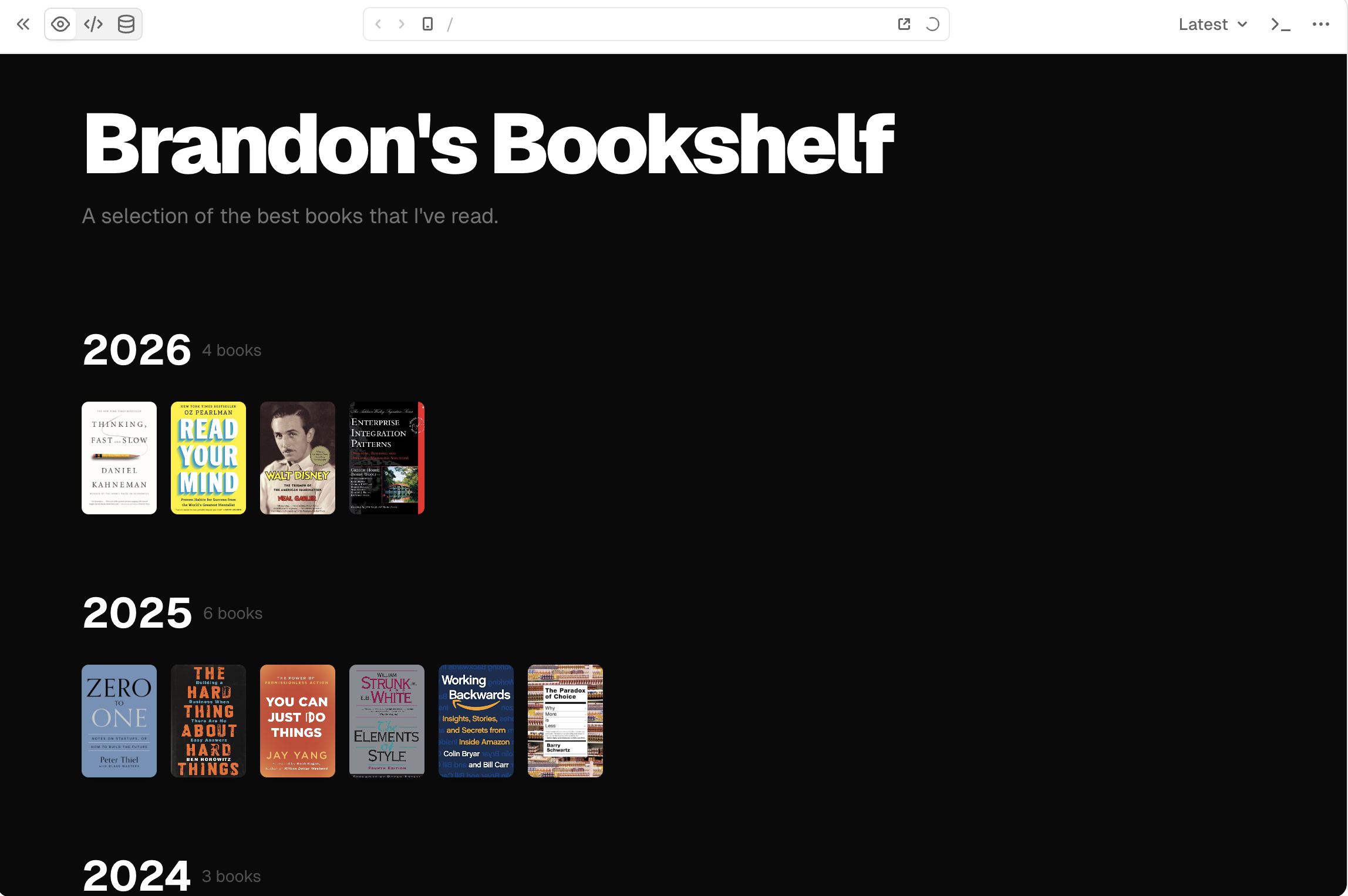 second prototype
I pushed it to a github repo and deployed it to vercel.
Local tune-up
Finally, I pulled it locally to clean up the code. v0's agent is great at design but rather terrible at good coding practices out of the box. Instead of wrangling with additional prompting and context, I find it easier to clean up v0 projects locally.
For technical restructuring and coding, I like codex. For this project, I dove right into the CLI for fast "pair-programming" with codex. Ever since their 5.3-codex release, I find it superior to competing CLI surfaces.
The changes I made:
- Performace: Optimized SSR configuration and Next.js Image settings to improve page load efficiency.
- Code normalization: Consolidated near-duplicate per-year pages generated by v0 into a parameterized route using a shared reusable component.
- Dead code removal: Pruned the oversized component directory scaffolded by v0, keeping only what the project uses.
- Styling: Constrained home page image sizes and capped images per row to maintain a high-level overview on the landing page, with full-size images and details reserved for the per-year views.
Image swaps
Some of my favorite books are public domain which means publishers make negligible if any margin selling these books. As a consequence, these books have terrible cover art; publishers have no incentive to invest any more than what is absolutely necessary to distribute them.
With gen ai tools, it's never been easier or cheaper to create art, so I took the opportunity to swap out cover images for my favorite public domain books. I used google gemini, but there's no shortage of incredible image generators out there. For the more discerning among us, I highly recommend Midjourney.
One of my favorites works, Plato's Republic, often has unrelated artwork on its covers. This book deserved relevant and inspiring art on my bookshelf.
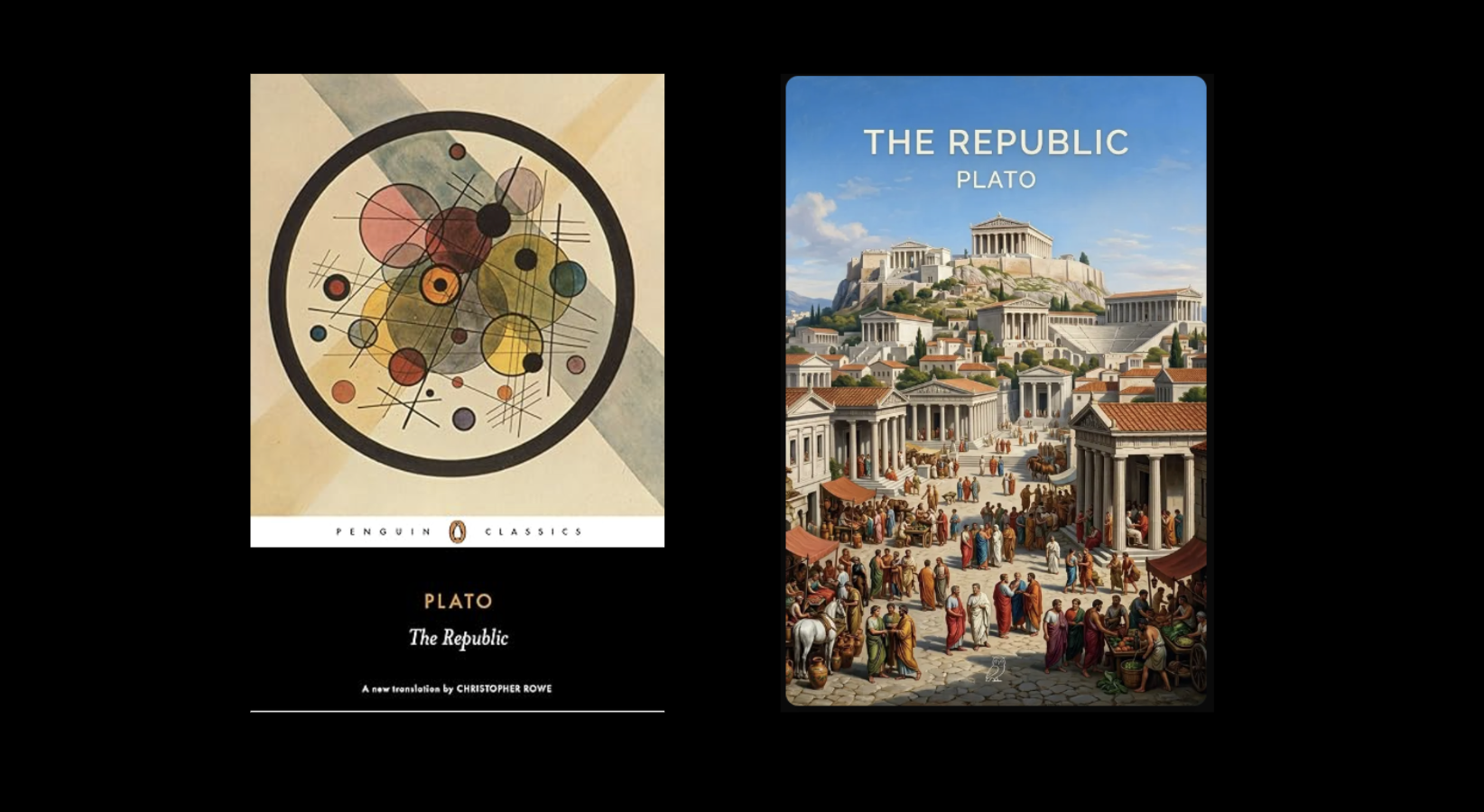 Left: Publisher's version, Right: My version
Subdomain Setup
Finally, I configured my subdomain in vercel and made the project accessible at bookshelf.brandonbellero.com. It was easy: add a CNAME record in my DNS service provider (AWS Route 53) then update the vercel domain settings with the information.
TLDR
I had a ton of fun building this, and I now have a place to display my favorite books and share them with friends.
Takeaways
- Find what works for you. Tools and workflows evolve constantly, yet principles stay the same. Don't hesitate to experiment. My workflow of v0 for initial design → GitHub → Vercel deploy → local tune up, with seamless push/deploy integrations, is fun and effective for lightweight web projects.
- Models/Harnesses/Surfaces are spiky. They excel at specific functions. I find v0 to be excellent with design. Codex with software development. There is no one-size-fits-all agent or ai tool.
- Just build things. It's never been easier. The popular word now is abundance, but I prefer creative leverage. Grab your tools and create the things you want to see in this world.