One-shotting an interactive essay
I built an interactive version of Paul Graham's How to Disagree. You can click on each form of disagreement to see its definition and enter a topic to get an AI-generated example.
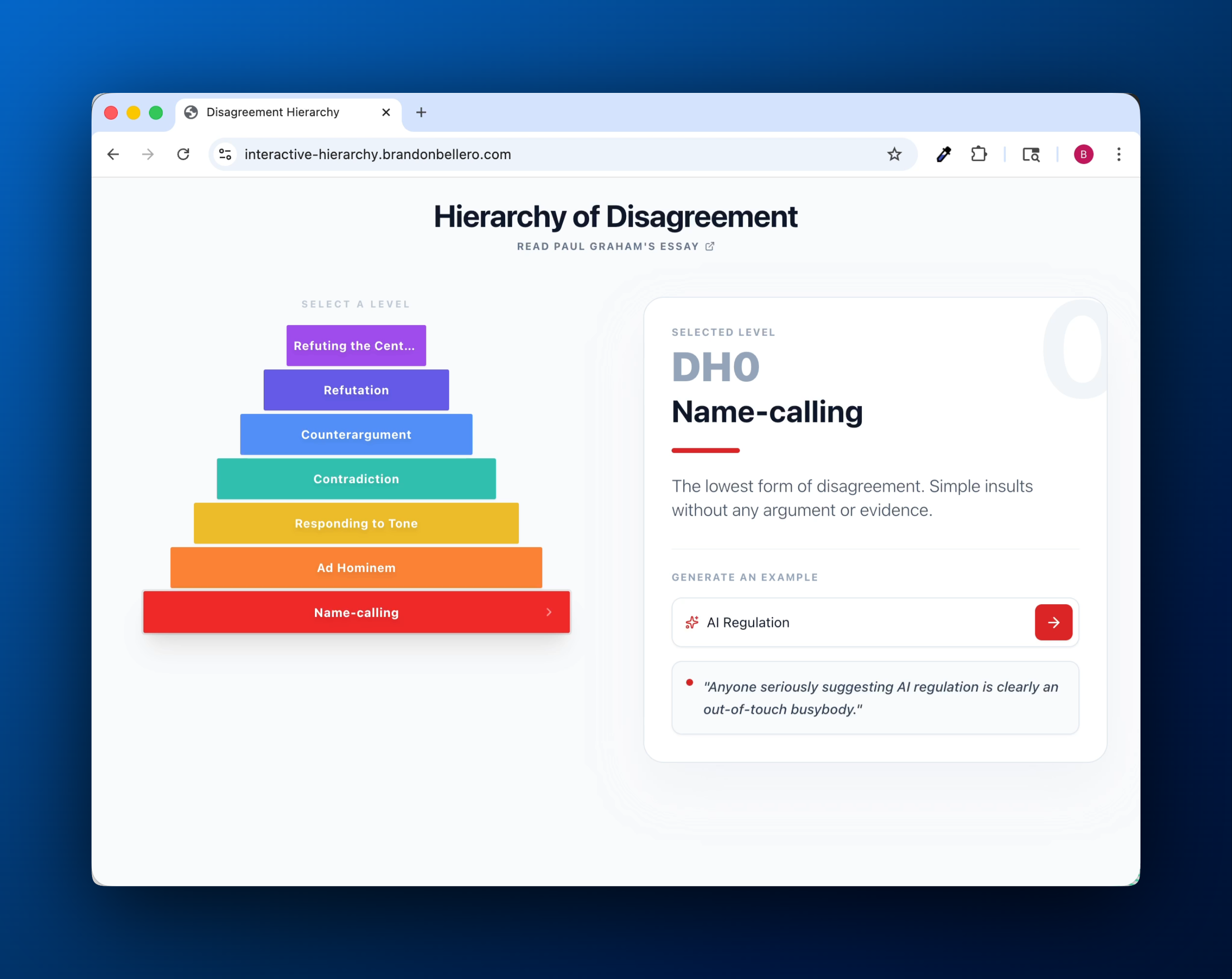
- Try it out: https://interactive-hierarchy.brandonbellero.com/
- Code: https://github.com/bb220/interactive-hierarchy
My goal was to play around with Google's AI Studio and see what it was capable of. I was particularly interested in seeing how well it could build a web app with a single prompt. Here's what I did and what I learned.
One-shotting the essay
Generating the app
To get started, I visited Google's AI Studio in my browser.
- In the agent chat, I entered a prompt that contained the following instructions and content:
- Summarize the definition of each term in the essay
- Create a visual illustration of the hierarchy on a webpage
- The raw text from the section of the essay that explaings each term, copied from https://www.paulgraham.com/disagree.html
- You can view the full prompt here
- Submitted the prompt
Google's agent immediately got to work. After a couple of minutes, it had built a functional web app. The stack was simple - a React web app that used the Google Gen AI SDK to make a client-side call to the gemini AI service for the AI feature. The code was fairly clean and minimal.
The app itself looked fine. I didn't like the dark style, and I noticed an inconsistency in the term names used in the visual (id vs the word itself, "DH6" vs "Refuting the Central Point").
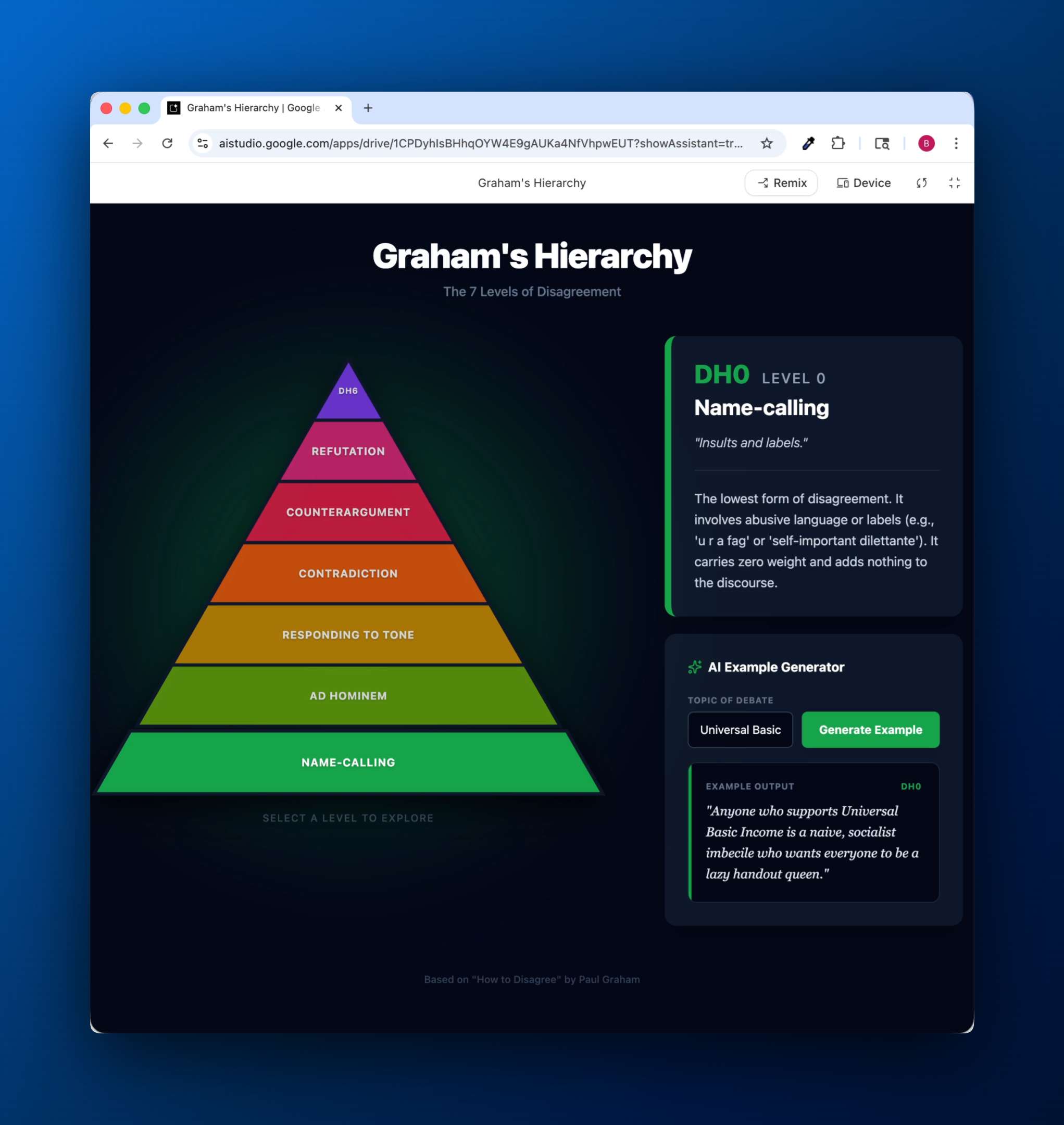
Out of curiosity, instead of refining the prompt, I fired off two brand new projects with the same prompt. One of them resulted in the light visual version that I ended up moving forward with.
Deploying the app
Within AI Studio, I was able to deploy the app by clicking a publish button. It set up a GCP project that deployed the app to a nodejs container hosted on a Cloud Run function with the following default urls.
https://graham-s-hierarchy-of-disagreement-671231190196.us-west1.run.app https://graham-s-hierarchy-of-disagreement-gdvtxqkoaq-uw.a.run.app
Within GCP, I set up a custom subdomain interactive-hierarchy.brandonbellero.com to point to this function. The subdomain sits atop the brandonbellero.com domain that I manage in AWS Route 53.
The whole process felt streamlined.
Thoughts
I was impressed by the breadth of functionality that the AI studio agent could tackle. I not only asked it to generate an app but to analyze and summarize the essay text first, mixing general reasoning and coding tasks.
The code itself was fairly clean and minimal. It was interesting to see how the agent defaulted to a vanilla React app. Competitors like Vercel's v0 defaults to Vercel's nextjs flavor of react web apps.
The design itself was also refreshing. The version that I ended up deploying looks modern and quite different from the interfaces I've received from other coding agents. Predictably, it has a Google-y aesthetic to it.
Most importantly, its integration with GCP was smooth and streamlines the utilization of GCP offerings. It shows google taking the agentic app building use case seriously and launching its own competitive offering into the dynamic and rapidly evolving space.